For businesses and professionals
Your calendar, your team and your customers in one place.
People find you on Restncare; you manage appointments, staff, rooms and equipment, packages, payments and customer records from one workspace.
We welcome applications from professionals and businesses across the United States. Customer bookings start when the region opens.
Each region opens separately; once your application is approved, your services are visible to customers when your region is open.
The partner panel
Approved partners manage their business in the panel at partner.restncare.com. Partner sign-in
A panel for your business
Manage appointments, staff and payments from one workspace.
The panel adapts to your type of business and the activities you offer. A hair salon sees its chairs, a spa its rooms, a home-service professional their service areas; several activities live side by side in the same business.
Adapts to your business type
Independent professional, salon, beauty centre, spa or clinic: only the sections that fit your work appear; you run several activities in one business.
Staff, rooms and equipment
Every appointment reserves the specialist, room or device it needs together; the same resource is never given twice for the same time.
Packages
Define session packages; follow used and remaining sessions on the customer’s record.
Payments
Payment status is tracked apart from booking status; a payment shows as paid only after a transaction has actually taken place.
Customer records
Your customers’ booking history, notes and packages in one record; only authorised team members see them.
Reports
See how your business is doing with booking, utilisation and service reports.
This is how your customers see you
Your profile shows your services, where you serve, your service areas, your consultation languages and your reviewed documents. Customers send their booking request straight from your profile.
App screens. The business and professional names on them are fictional sample records, not real people or businesses.
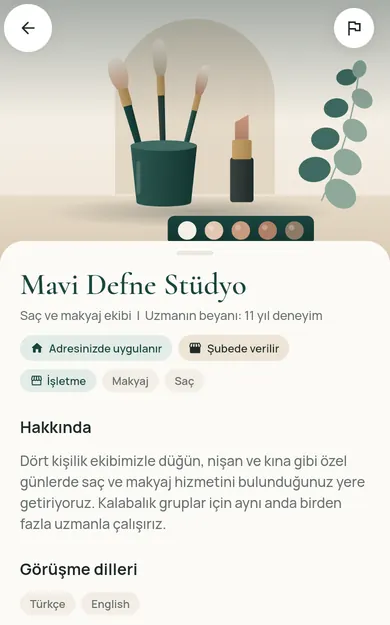
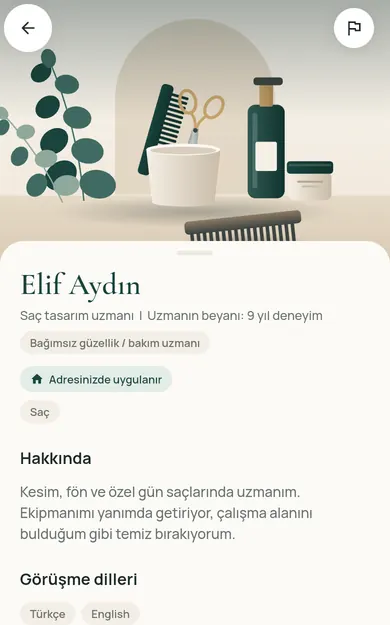
By type of business
For each type of business, a separate page explains what you can do in the panel and what is not offered.
- Personal careHair salons, barbers, beauty centres and independent professionals.For businesses
- Wellness and spaRooms, equipment, packages and stock.For businesses
- Home servicesService areas, travel buffers and the daily visit plan.For businesses
- Groups and eventsWedding and group requests, itemised and versioned quotes.For businesses
- Clinic administrationReception, practitioner and room calendars, team and roles.For businesses
- Dental clinicsExamination appointments and itemised treatment quotes.For businesses
The partner panel
Your panel, as it is.
The partner panel runs in the browser at partner.restncare.com. Its home shows the day’s summary and quick actions; business management brings together the calendar, new appointments, customer records, staff, roles, resources and reports.
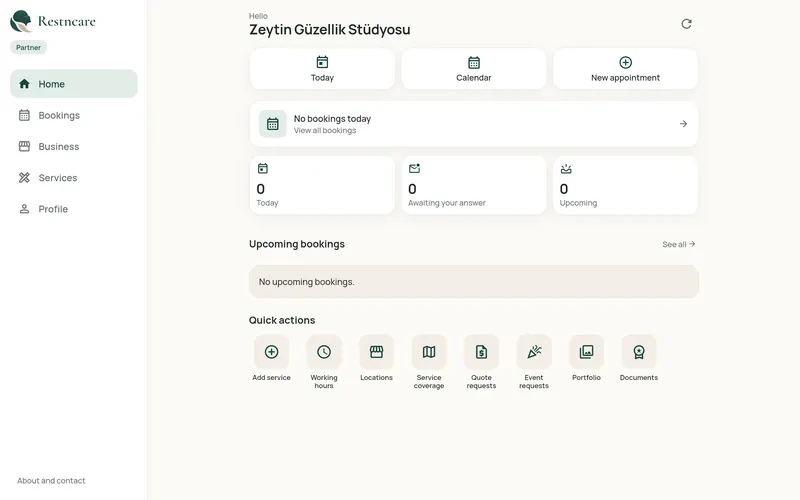
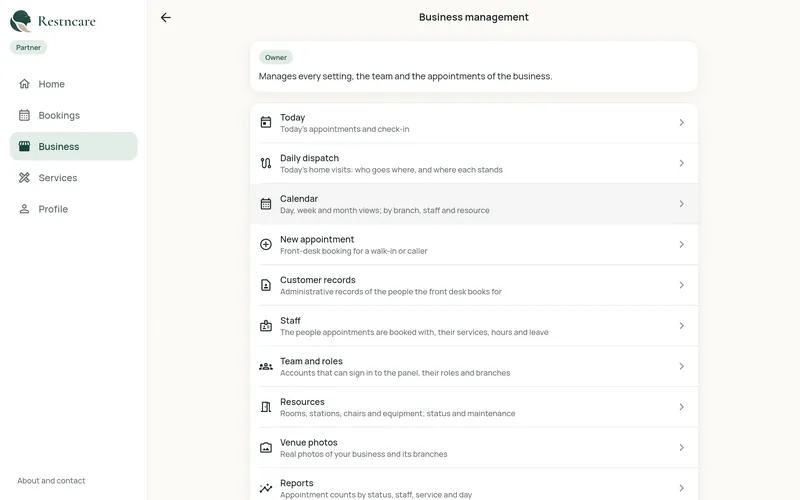
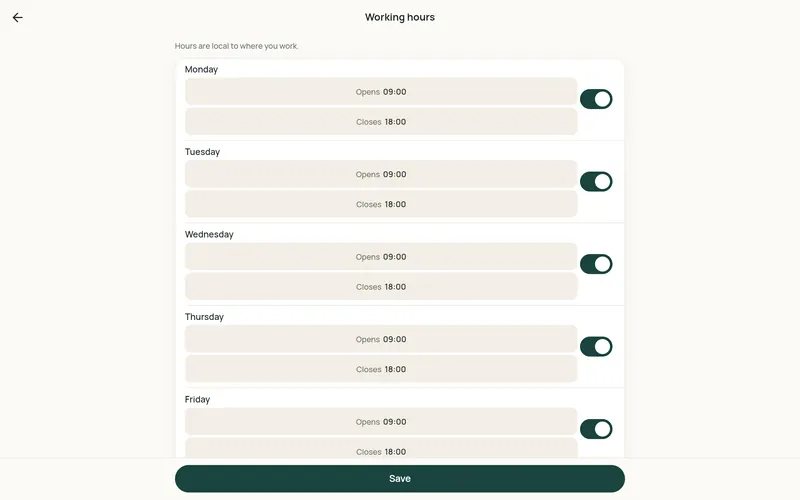
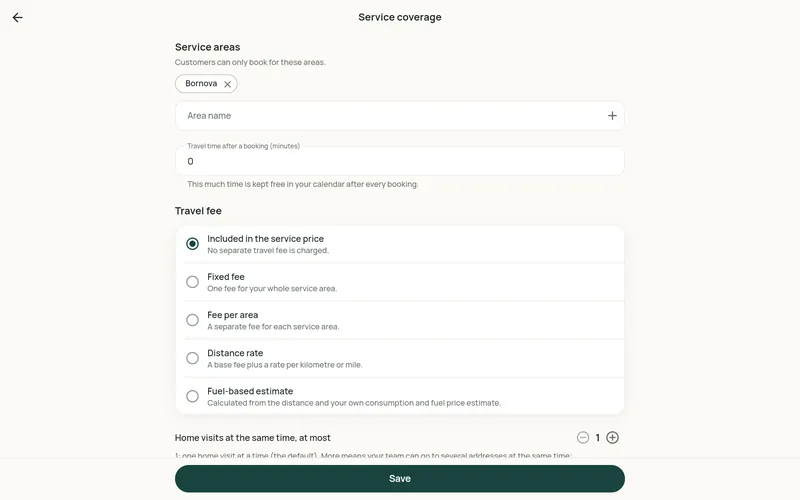
Screenshots of the Restncare partner panel. The business and staff names on them are fictional sample records, not real people or businesses.
01Clinics
From reception to the room, every step of the appointment is visible.
Monday morning: three practitioners, three rooms, two new requests by phone and a device under maintenance. Reception looks at one calendar; practitioner and room are reserved together, and nobody is booked twice for the same time.
Restncare is for your clinic’s scheduling and business management: calendar, reception, team, rooms and equipment.

Thursday · 15 October
Tap a time: a free one takes a sample appointment, a taken one says why not.
- reserved: practitioner and room were booked together (sample).
- taken: the same practitioner and room cannot be booked twice at this time.
- break: no appointment can be opened in this interval.
- under maintenance: even if the practitioner is free, no appointment opens while the room is closed.
- on leave: these times are never shown to customers.
- New appointment
12 – 16 October · load
Rows are practitioners and rooms; each bar is one appointment that day. Leave and maintenance are removed automatically from the times offered to customers.
October
The life of an appointment
- RequestedFrom the app or from reception
- ConfirmedPractitioner and room reserved
- ArrivedMarked by reception
- In sessionThe room shows as occupied
- ServedOr closes as “did not attend”
Team and roles
Reception opens appointments and marks arrivals; a practitioner sees their own calendar; a manager arranges the branch and the team. Each role sees only what its own work needs.
Rooms and equipment
Every room and device is a resource. An appointment reserves the room it needs along with the practitioner; a room closed for maintenance is offered to nobody during those hours.
Durations and buffers
Each service has a set duration; preparation time before and clean-up time after can be added. The customer only sees the times left once these buffers are taken out.
No double booking
Availability is enforced on the server: of two requests arriving at once, only one gets that time; practitioner, room and equipment are reserved together.
Dental clinics
Dental clinics work with the same calendar and reception. An examination appointment is given at a branch only; booking it shows no price and asks for no payment through Restncare. After the examination the authorised clinician may send an itemised treatment proposal. Preliminary assessment, consultation, photo review and preparing the proposal on the platform are free; nothing is charged until the customer explicitly accepts the proposal, and payment follows acceptance.
This is the appointment and commercial quote flow; it carries no medical record, diagnosis or treatment content.
Approval gives your clinic standard partner access.
02Beauty centres and salons
While the colour develops, the chair need not sit idle, and neither does your specialist.
Saturday afternoon: two chairs, a treatment room, a manicure table. Your customers see you with “at the centre” or “at home” options; you plan which specialist works at which station, and for how long, on one screen.

-
Stations: chair, room, table, device
Every station is its own resource. Skin care reserves the room, a manicure the table, a device treatment both the room and the device; as many bookings open as you have capacity for, and no more.
-
At the centre and at home, one calendar
Your customer chooses to receive the service at your branch or at their own address. For home service the travel buffer and travel fee apply; at the centre only the branch’s hours do.
-
Multi-step services with processing time
For colour, perm or mask treatments your specialist moves to another customer during the waiting interval, while the chair stays occupied.
-
Packages
Define session packages; follow the sessions a customer has used and has left on the package record. You set each package’s contents and terms.
03Independent and home-service professionals
Your kit is packed. Your day’s plan should be ready too.
Hair, barber, make-up, nails or skin care: if you work at your customers’ homes, your biggest cost is the road. You decide where you go, how much time you leave between two addresses, and the travel fee; the customer only sees times you can make.

- 10:00Bornova · Blow-dry45 min
- 25 min travel buffer
- 11:30Karşıyaka · Hair and make-up90 min
- 30 min travel buffer
- 14:00Konak · Manicure60 min
The travel buffer is set aside in your calendar automatically; customers only see times you can make.
-
Service areas
You choose the districts you travel to; no request arrives from an address outside them.
-
Travel buffer and travel fee
A travel buffer is placed between appointments. You define the travel fee as included, fixed or by area; the customer sees it as a separate line.
-
Preparation details
You write on the service what you bring and what you need from the customer (a socket, water, a well-lit corner); the terms are frozen on the booking.
-
The day’s itinerary
The day’s addresses in order in one list, with the travel buffer between them.
Already have an account? Apply in the panel: individual professional · salon or centre
04Quotes and group requests
A wedding morning for five, one job for your team.
The customer writes the need once: who, which service, where, ready by when. You send a quote itemised per person and service; the customer sees the quotes side by side, accepts one, and the job lands in your calendar as a single booking.
- A request arrivesParticipants, services, place, ready-by time
- You write a quoteItems, schedule, validity
- The customer comparesScope, inclusions, total
- They acceptYour availability is checked again
- A booking is createdThe accepted quote is frozen on the booking
If the scope changes a new version is written and the customer’s approval is asked again.
-
Itemised, versioned quotes
For work that needs an assessment or varies by person, you give the price in a quote. The version the customer accepted is kept; it never changes silently afterwards.
-
Group requests
For weddings, engagements and similar days, several people’s services are gathered in one request; you quote as a single professional or as a team.
-
Payment status is tracked separately
Booking status and payment status are kept separate. A payment shows as paid only after a transaction has actually taken place.
Tools every business shares
Define the rules once; let the calendar follow them by itself.
Working hours
You define your weekly hours; only the gaps inside them are offered to customers.
Breaks, leave, exceptions
A lunch break, a day off, a half day before a holiday, a daily booking limit. A change never silently cancels existing bookings; the conflicting ones are shown to you.
Branches
Each branch has its own address, time zone, working hours and calendar; the customer chooses the branch they will visit.
Portfolio
You upload examples of your work; the customer sees it before sending a request.
Services and durations
You write each service’s duration, options and price. No amount is shown on this site: prices are set by partners.
Payments
Payment status is tracked separately from the booking; payment options depend on your region and your business settings.
Booking QR code and print materials
A table card on your counter, a poster in your window: the customer scans the code and lands directly on your profile and available times. The code is your profile’s address; it carries no personal data.
- A4 poster and table card; print-ready PDF
- The code always leads to the same profile; no reprint is needed when your services change

Book your appointment from your phone
Sample Salon · Bornova
restncare.com/p/…
Confiance et qualifications
Que votre expérience soit visible et vos qualifications faciles à comprendre.
Vous soumettez à l’examen votre formation, votre expérience, vos certificats, vos licences et, le cas échéant, vos autorisations de prestation ou d’établissement. Ce qui figure sur votre profil dépend de ce qui a été examiné.
-
Certificate review
The certificates you upload are reviewed and appear on your profile as “document reviewed”, with the document’s name and the review date.
-
Verification summaries with their scope
For licences, education, experience and service-specific authorisations: what was checked, its scope and jurisdiction, the review date and the expiry. Information that has not been reviewed is marked separately as “self-declared”.
-
Uploading a document is not verification
An uploaded document is evidence; it creates no badge on your profile until it has been reviewed. There are no vague “approved” badges and no wording that suggests a quality guarantee or a government endorsement.
-
Your documents stay private
Only you and the review team see the raw documents; the customer is shown the summary only.
Application
Create your own professional space on Restncare.
We welcome applications from professionals and businesses across the United States. Customer bookings start when the region opens. Each region opens separately; once your application is approved, your services are visible to customers when your region is open.
- ApplyDescribe your work and location
- ReviewOur team reviews details and documents
- ApprovalPartner access opens
- ListingYour services become visible to customers
If you have a Restncare account you can also apply in the panel at partner.restncare.com.
Already have an account? Choose your profession; you can change it in the application
What approval requires
How the application works
Individual professionals, salons, beauty centres, spa and wellness centres, clinics and insurance organisations can apply.
- Create an account or sign in. You apply with a Restncare account; after signing in you return to the application.
- Fill in your details. Choose your applicant type, describe yourself or your organisation and where you will provide services. Your draft is saved, so you can stop and continue later.
- Upload your documents. The documents requested for your applicant type are shown during the application. Only the review team sees them; an uploaded document is reviewed as evidence, and uploading it does not mean it has been accepted.
- Follow the status. You follow the status of your application, any corrections the review team asks for, and the decision, on the application screen.
- Publish your eligible, approved services. After approval you define and publish your services, prices and working hours.
Nothing is published and there is no partner access before approval: until you are approved you cannot publish services or take bookings.
What approval gives
- Access to the partner panel.
- Defining and publishing your services, prices and working hours.
- Receiving booking requests, and accepting or declining them.
What approval does not give
- Applying grants no access by itself.
- An uploaded document is evidence; it does not earn a verification badge automatically.
- Clinics: approval gives access to scheduling and business management; it grants no other authorisation.
- Insurance organisations: approval ends in “approved, onboarding pending”; panel access is given after onboarding.