Services
Whatever you need, the same clear process.
You choose the professional or the business; you see the scope, the duration and the price before you send the request. A booking is confirmed when the business accepts it.

Service areas
- Personal careHair, barber, make-up, nails, brows and lashes, skincare and hair removal; at home or at the venue.Details
- Wellness and spaMassage, treatments and relaxation; with room and equipment planning.Details
- Home servicesThe professional comes to your address; the service area and any travel fee are written up front.Details
- Groups and special occasionsA wedding, an engagement or a company event: several people’s preparation in one request, with itemised quotes.Details
- Clinics and dental clinicsIn-person appointments at the clinic: the examination first, then the clinic’s itemised treatment quote.Details
In every service
Request, acceptance, booking: every step is shown by its name.
- DiscoverySearch by service, area and language
- ProfileServices, durations, work, reviewed documents
- RequestYou send it seeing the scope and the amount
- AcceptanceThe booking is confirmed when the business accepts
- ReminderIf the booking changes, so does the reminder
Booking status and payment status are kept apart. A payment shows as paid only after a transaction has actually taken place.
Business profiles
Every business has its own page
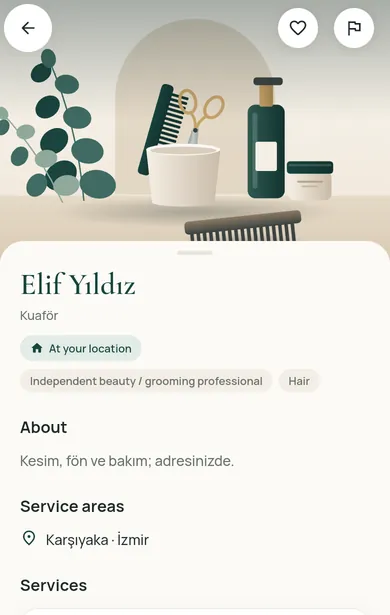
Every approved business and professional has a public page that shows their services and service areas. Businesses share its link and QR code with their customers; from the page you move to the web app and book.
The names and descriptions on the page are the business’s own text; they are not translated.
For customers
See the options in your region
Restncare opens region by region. Once you choose your region, the content for it is shown.
For businesses
Offer your services on Restncare
Your application is reviewed; nothing is published before approval. Once approved, you run your business from the partner panel.